Servers & monitoring

SiteWatcher
Self-hosted website monitor with uptime history, certificate and domain expiry checks, and status pages.
Version checked by hand on 2026-11-23. Snapshot from the included release data, not a live check.
No release-notes excerpt is recorded here.
Open the project's release source ↗Available on these platforms
Requires a self-hosted SiteWatcher server.
Server systems, compatibility details and official sources
The monitoring dashboard is used in a browser; the service runs on your own server. No native phone app is asserted.
Official availability checked 2026-11-23. Availability is not feature parity. The recorded release and license refer to the linked source project; separate clients can differ. No install or compatibility test was run.
Before you install
Watch your sites from a server you control.
- What does it run on?
- A Docker Compose stack on your own machine or server that checks websites on a schedule and keeps the history.
- Where is my data?
- Sites, check history and status pages live on your server. Alerts go to email, Telegram or both; VirusTotal reports are optional and use your own API key.
- What will I maintain?
- The containers and their updates. The project is young (0.x) with a single maintainer, so expect active change.
Advice and funding routes source-checked November 23, 2026. Researched, not an install or restore test. Installation source ↗ · Report a correction
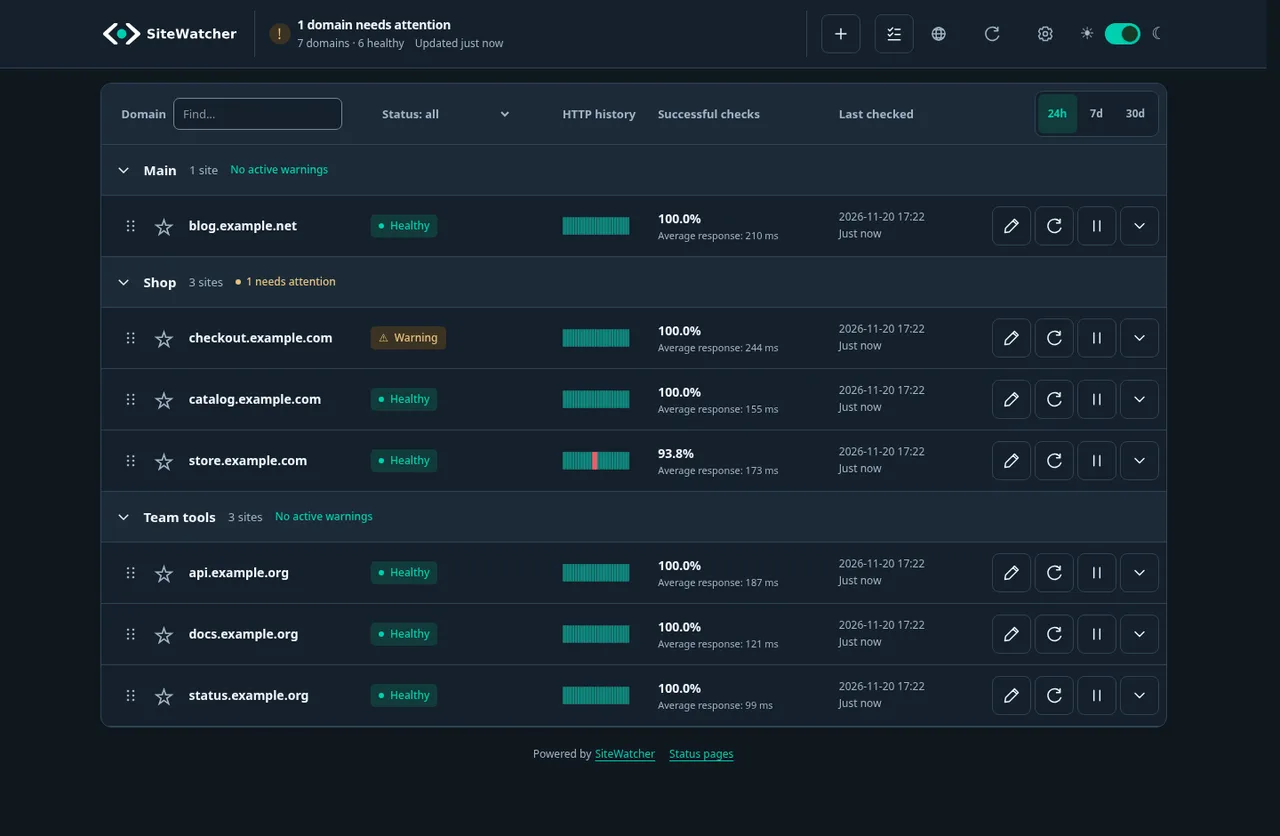

SiteWatcher checks your websites on a schedule and keeps a history of uptime and response times. It also watches HTTPS certificate and domain registration expiry, page content and defacement signals, IP addresses, blocklists, TCP ports and the route to the server, and it can publish public or private status pages. Alerts go to email, Telegram or both.
The repository’s LICENSE file is MIT. The project is young (version 0.4.0, first public commits in August 2025) with a single maintainer. Some checks use external data: VirusTotal reports need your own API key.
Quick start
Researched against upstream documentation on November 23, 2026. We have not installed SiteWatcher or run these steps as part of this listing.
Docker Compose
The project’s README route. Install Git and Docker with Compose, then:
git clone --depth 1 https://github.com/NikKurkov/sitewatcher.git
cd sitewatcher
docker compose run --rm --build setup
docker compose up -d
The setup command asks for a username and password. Then open http://127.0.0.1:8080, sign in and click Add domain. The dashboard is local by default; the user guide covers installation without Docker, extra checks, status pages, updates and backups.
Docker Compose · Self-hosted website monitor with uptime history, certificate and domain expiry checks, and status pages. Paste into your AI assistant. It may only be able to guide you. Review changes before running anything.
Researched from the project's documentation. Checked 2026-11-23. No AI account or connection is needed here.
Read or copy the prompt manually
First steps
- Add a domain and pick its checks: HTTP status and response time, certificate and domain expiry, content, ports and more.
- Choose alert channels for each site: email, Telegram or both.
- Group sites in the dashboard and look back through their check history.
- Share selected sites or groups on a public or private status page.
Source: the SiteWatcher README and user guide.
Tags: Monitoring, Self-hosted
Want help setting this up? Ask FOSSadmin ↗
Find FOSS Index useful? Help keep it growing. Your contribution supports maintaining this directory.